Describe what you see
Start with the behavior: the image hitches, mouse input feels delayed, movement jumps, or the game displays an error. A useful description gives you a place to investigate. The word lag alone does not identify the cause.
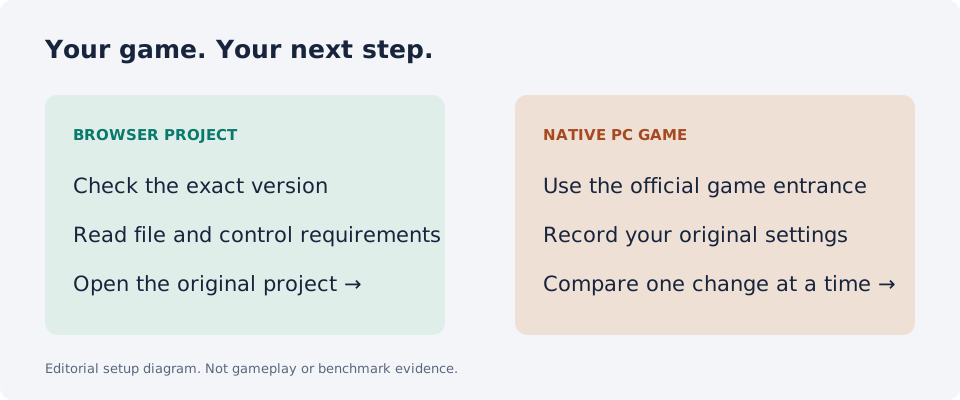
Record your game, platform, hardware, resolution, current settings, and the situation in which the symptom appears. Native PC games and browser ports are different workloads; keep their observations separate.
Keep a baseline
Choose a scene or route you can repeat. Record the original settings and use the same measurement method for each run. Keep the conditions as similar as possible and write down any changes that you cannot control.
Our suggested comparison workflow is an editorial method, not a measured Radiant result. This website does not inspect your hardware, calculate an FPS boost, or change Windows settings.
Make one understandable change
Read the publisher’s current settings guidance and the explanation for the option you are considering. Save the original value, change one available option, and repeat the test. Keep or reverse it based on the recorded result.
Do not copy a complete settings bundle from unrelated hardware and label it best. A missing option or an error message deserves a separate check. For VALORANT on Windows 11, Riot lists security requirements; do not disable them to follow an FPS tip.
Keep local and server conditions separate
Radiant’s current Warzone guide distinguishes PC activity and connection checks. Its website also states that outcomes depend on the setup and does not promise a fixed performance improvement.
A local tool does not control a remote game server. If an issue only appears online, record the session context alongside your local observations. A successful request, a visible FPS counter, or one smooth match is not a general performance guarantee.
Write a result someone else can assess
A useful comparison names the hardware, game version, settings, scene, measurement method, and what changed. State any limitation, such as a different server or a test that could not be repeated.
If you cannot establish an improvement, keep that result. Do not replace it with a claimed percentage from marketing material. Our PC game pages link to publishers and setup resources, while measured results remain unverified.
Good questions. Clear answers.
Will Radiant give me a fixed FPS increase?
No fixed increase is established by this directory. Results would need measurement on the stated PC and game.
Are your game guides benchmark reports?
No. They are source-based guides and a suggested comparison workflow.
Sources and review
Source review: . Gameplay and performance are not tested by this directory.